Payen
Basic Flow
The following high level description will give an overview of the kind of operations that take place over the course of a transaction with the Payen Platform for a typical card payment scenario. For the exact message flow and for information on how this can fit into a merchant specific application please refer to the next section.
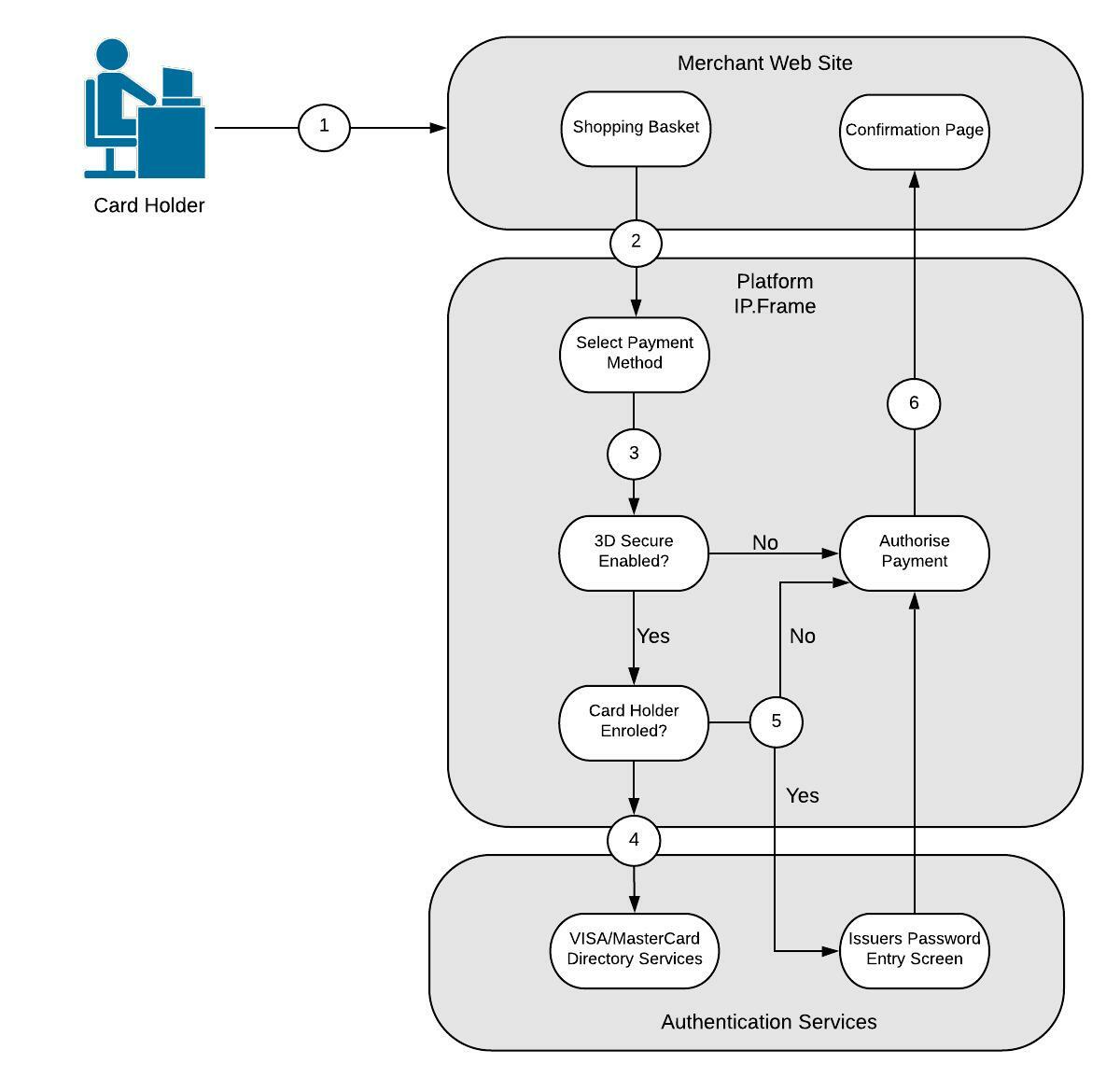
- Relevant Information about the items being purchased is displayed to the card holder. The card holder submits a request to checkout, confirming the contents of the basket and the amount.
- A message exchange takes place between the merchant and the Payen Platform Server in order to setup the transaction. The card holder is presented with the merchant website skinned IP.Frame, which hands off the payment process to the Payen Platform, The customer commences the process of entering card details or choosing existing payment methods and confirms the selection.
- The request is submitted and checked for validity. The configuration is checked to see if 3D Secure is enabled. If 3D Secure is not enabled, the process proceeds with an authorisation request through the Payen Platform Server and will continue at step 6.
- If 3D Secure is enabled, a query is made to the relevant Directory Server to check the enrolled status of the card.
- If the card is enrolled, the card holder is redirected to the issuers password entry screen. Once password entry is complete an authorisation is then requested using the card details provided and proof of payer authentication. If the card is not enrolled, an authorisation is requested using the card details provided and proof of a payer authentication attempt.
- The result of the entire process is sent back to the merchant so that the relevant completion message can be displayed to the card holder. The process of obtaining the response can be found in the message flow section.